For iPhone, iPad and Apple Watch
Your darkroom, in your pocket.
942 films and 8,400 published times, each with its source — with a timer that guides every bath, a notebook for your rolls and chemistry, and lessons for your first roll. It all works without a signal.
Development calculator
The right time, with its source.
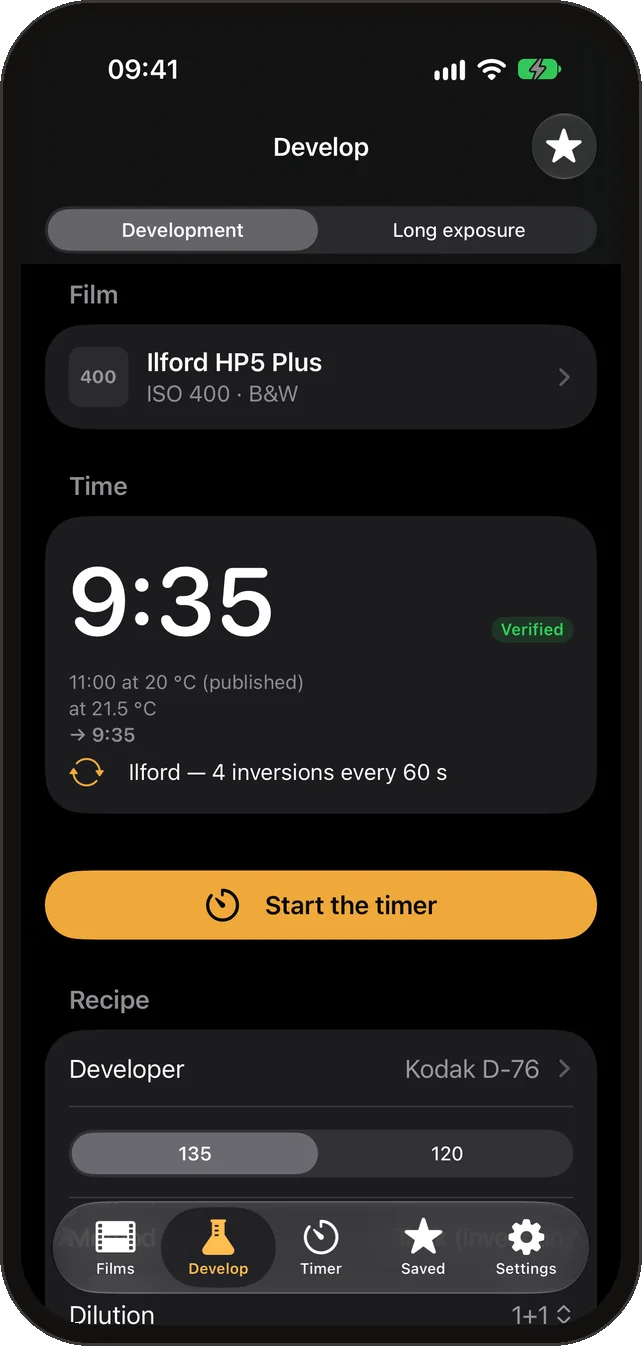
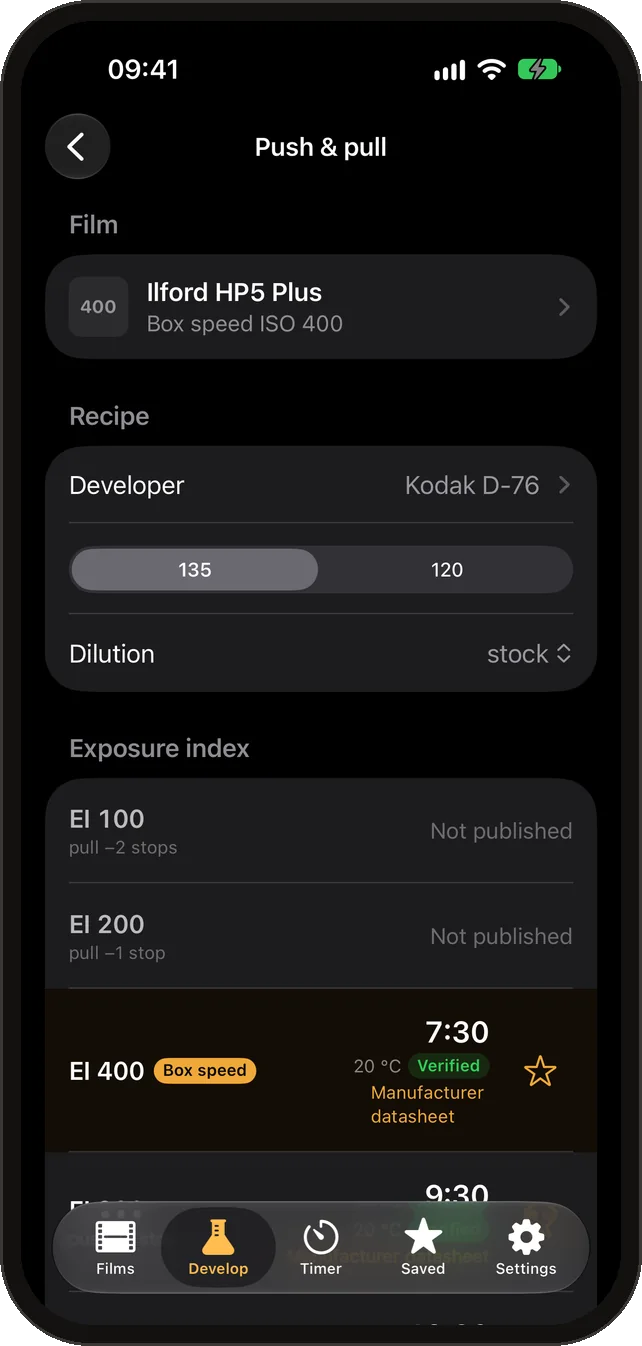
Choose a film, then a developer that has published times for it, then the dilution, speed and temperature. The app shows the maker’s time and the datasheet it came from. It offers only what was published, so a push nobody published is simply not on the list.
- Temperature and reused-developer corrections, only where a published rule exists.
- Push and pull planner: every published speed for a film and developer, box speed marked.
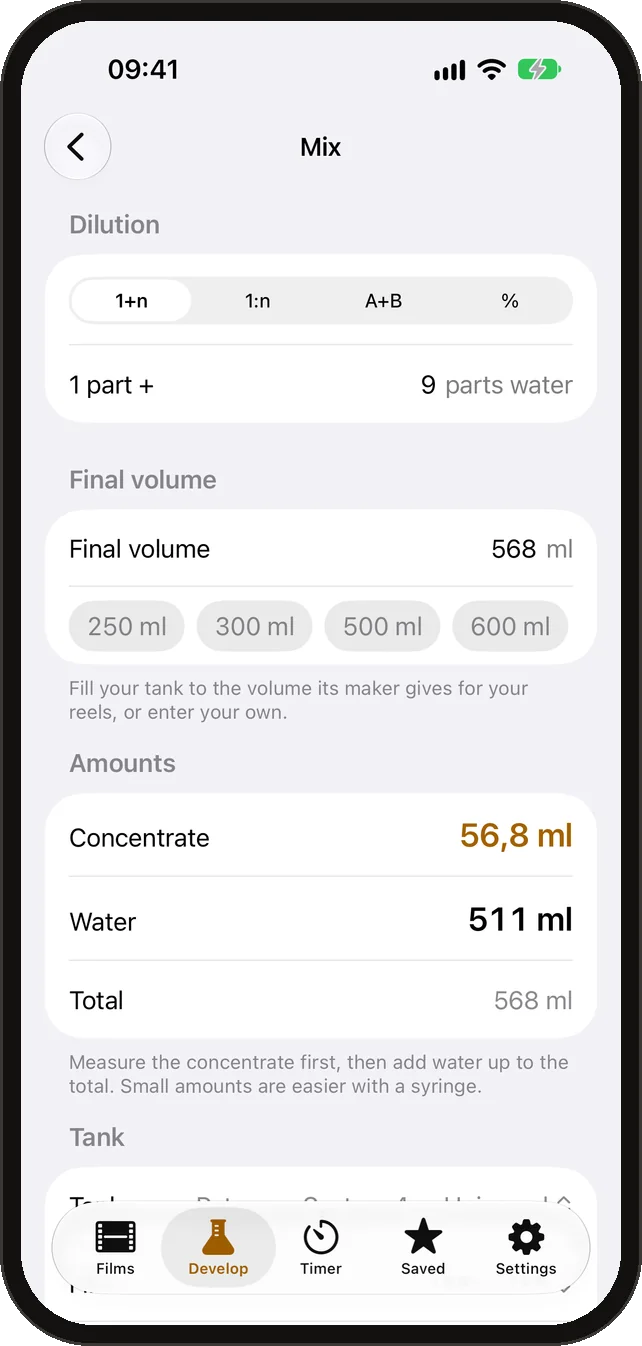
- Mixing calculator: concentrate and water for any dilution and tank.
Developing timer
A timer that knows every bath.
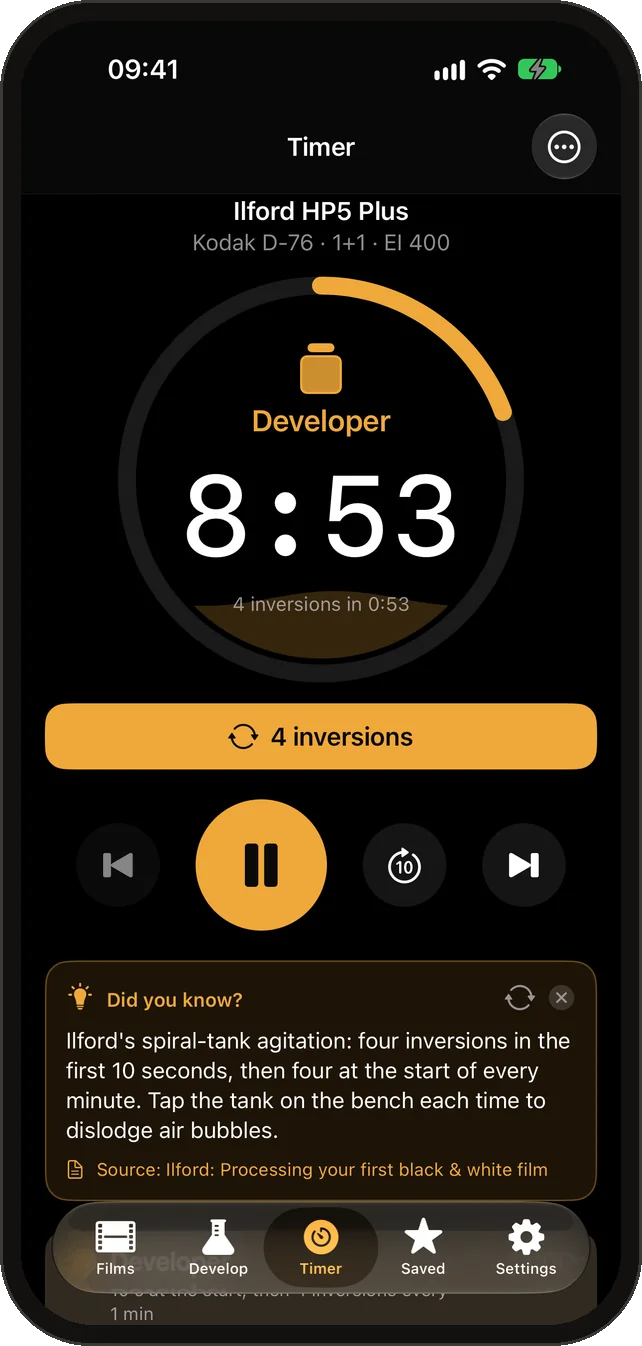
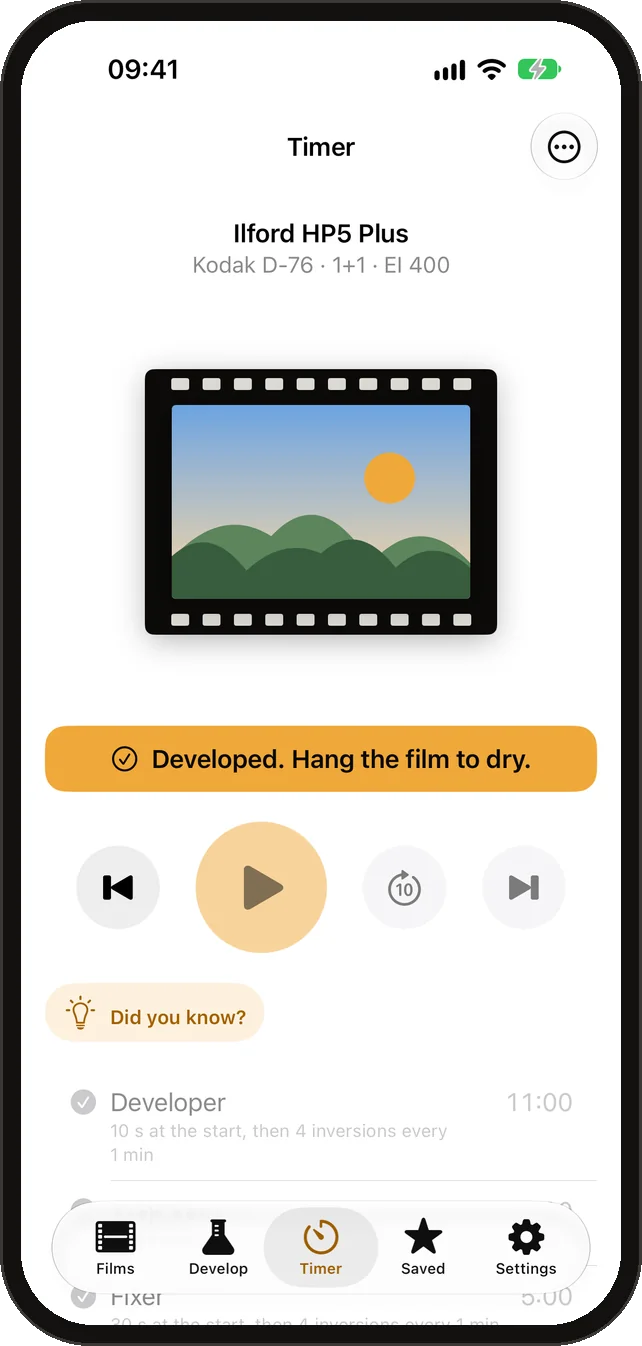
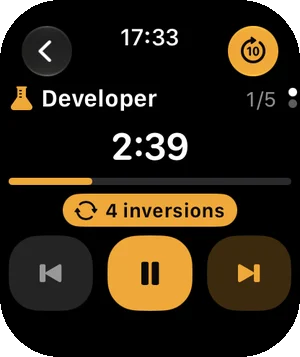
Developer, stop, fixer, wash and wetting agent in order, each waiting for you to pour in. The dial fills with the bath’s colour, agitation cues pulse with a turning tank, and the end turns a negative into a positive.
- Spoken cues: “Agitate now — four inversions”, “Pour out in ten seconds”.
- Notifications and haptics when the phone is locked; the screen stays awake while it runs.
- “Did you know?” cards for each bath, every fact with its source.
In the darkroom
Red when the lights go out.
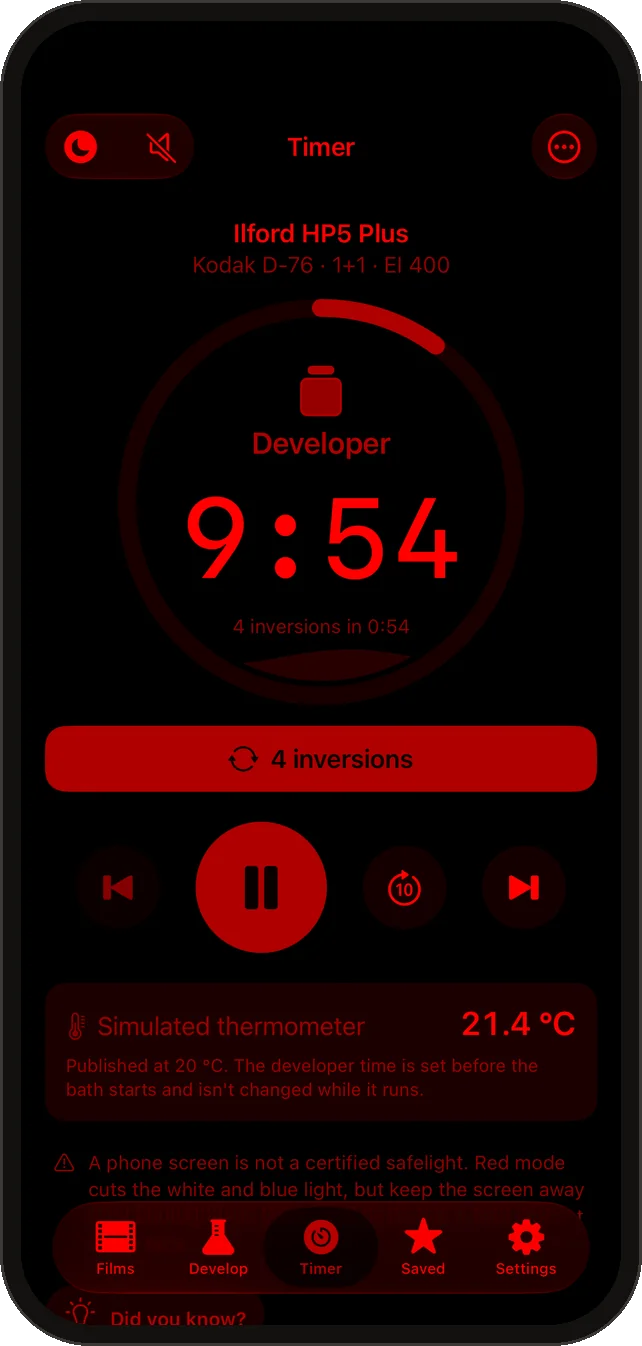
Darkroom red mode turns the whole app red on black and lowers the brightness, then restores it. A Bluetooth thermometer shows the bath temperature live and adjusts the time where a published rule allows it.
- Works with standard Bluetooth thermometers.
- A phone screen is not a certified safelight: keep it away from paper and from film out of the tank.
Notebook
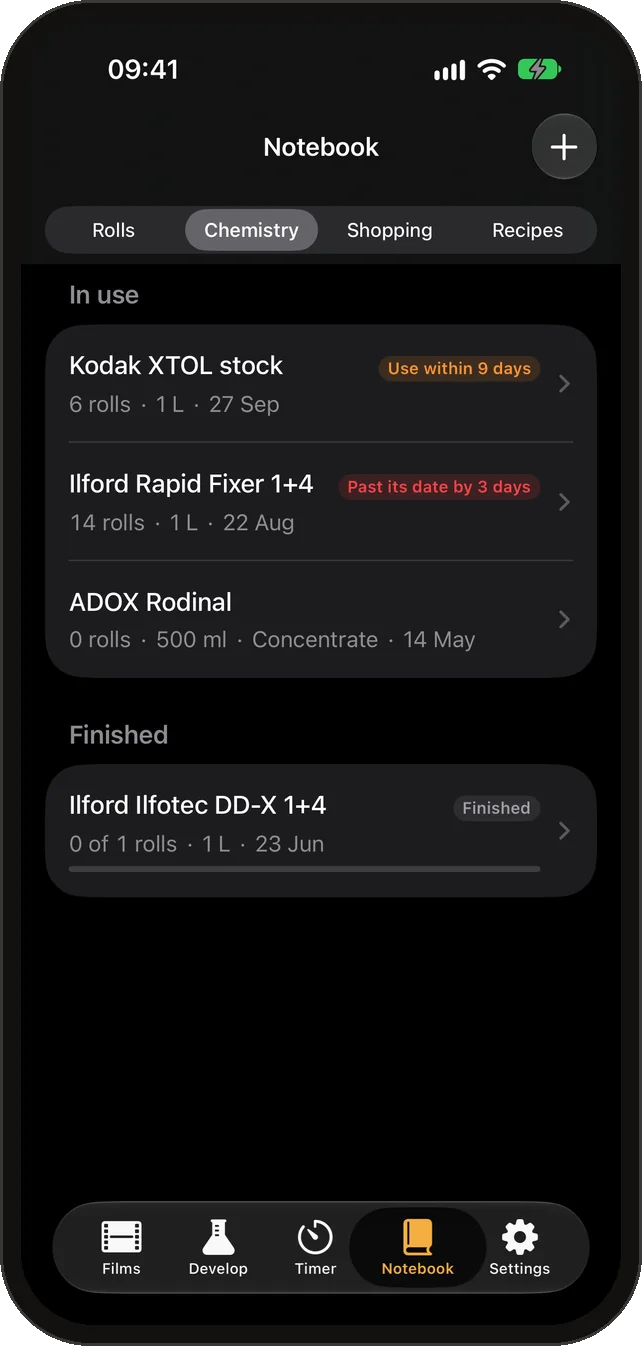
Every roll, every bottle.
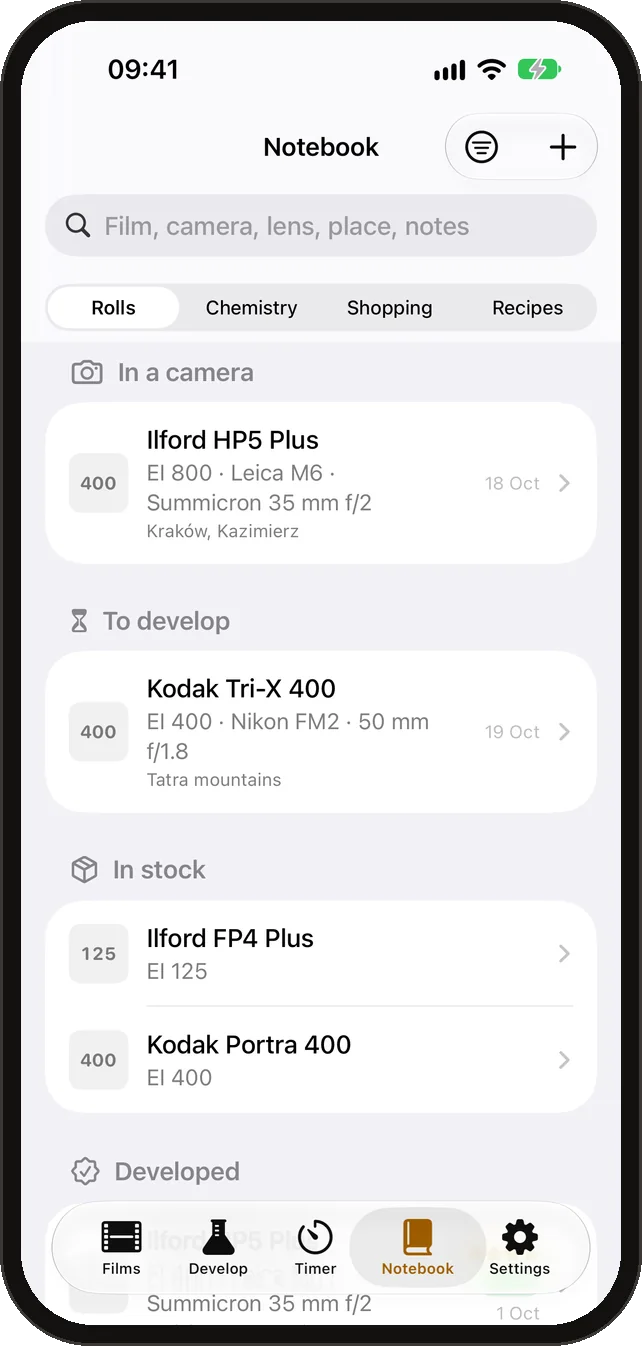
Keep your rolls with the film, speed, camera, lens and dates, then how they were developed and how they came out. Keep your chemistry too: the app counts the rolls through each bottle and warns when it is nearly used up.
- A development is written to the roll and the bottle when the timer finishes.
- A shopping list that suggests what is running out.
- Optional iCloud sync between your iPhone and iPad.
Learn
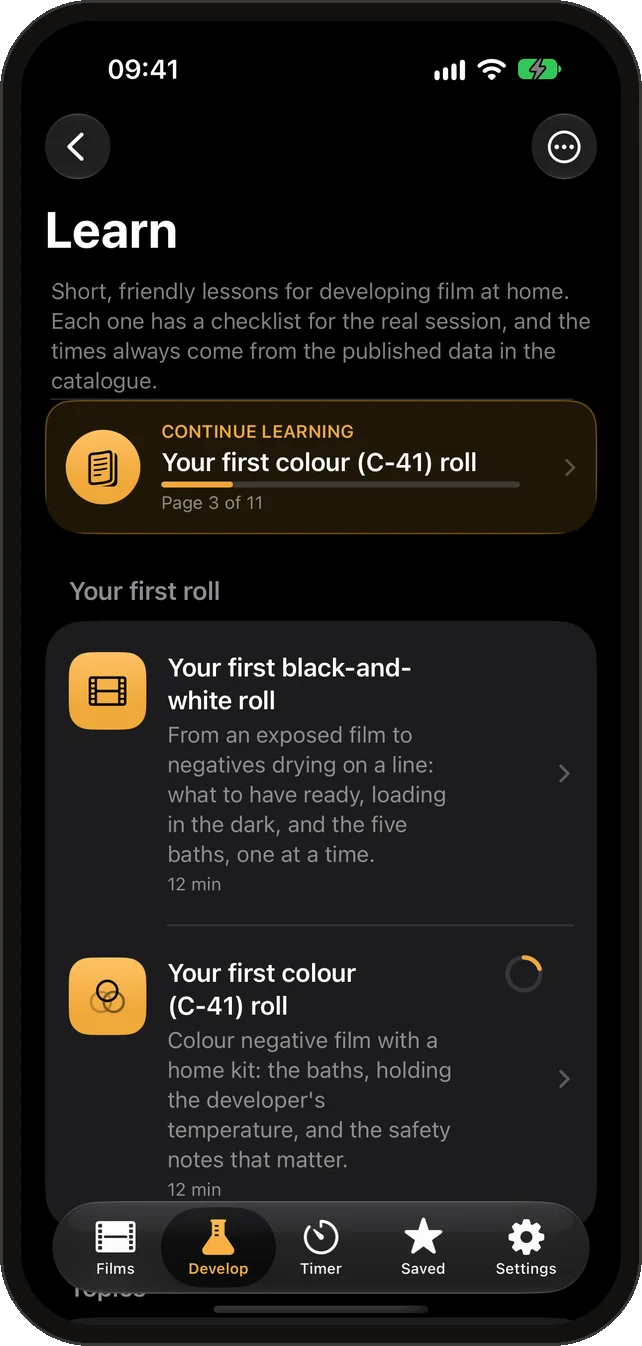
Your first roll, step by step.
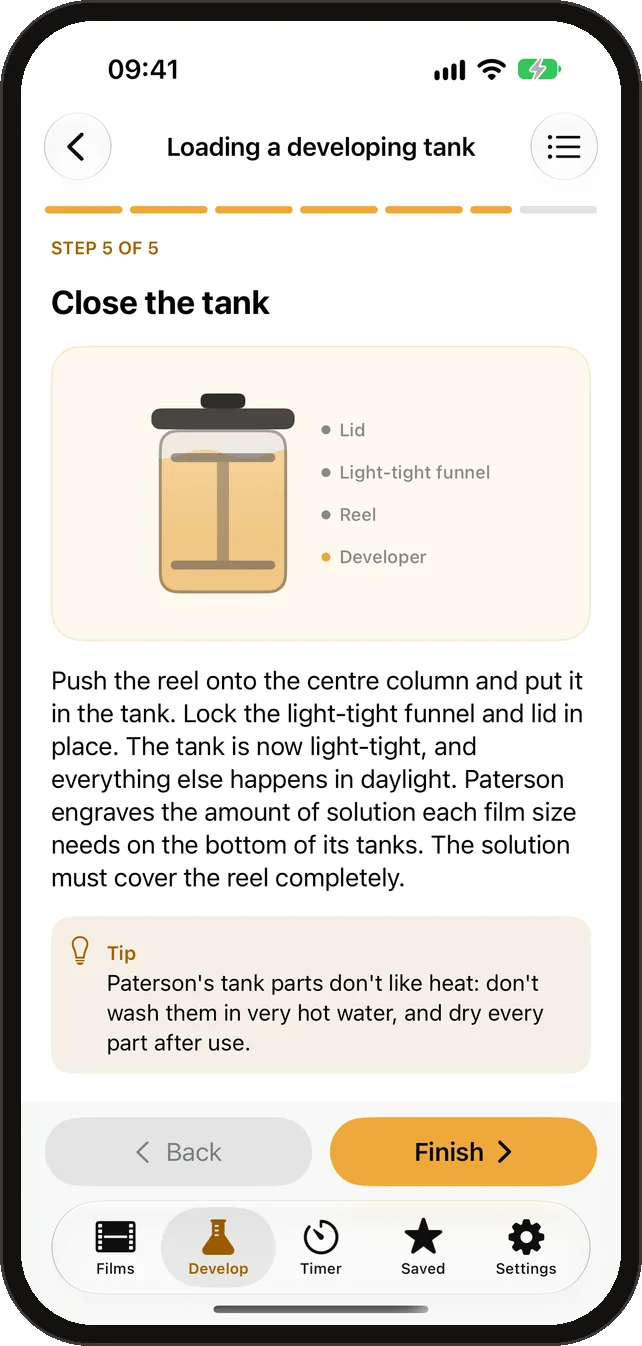
Courses for your first black-and-white and first colour roll, and short lessons on loading the tank, mixing, temperature, agitation, fixing, washing and drying. Each has drawings, a checklist for the session, a short quiz and the makers’ guides it is based on.
- Practise with a film you own: the lesson opens the calculator and the timer for it.
Camera
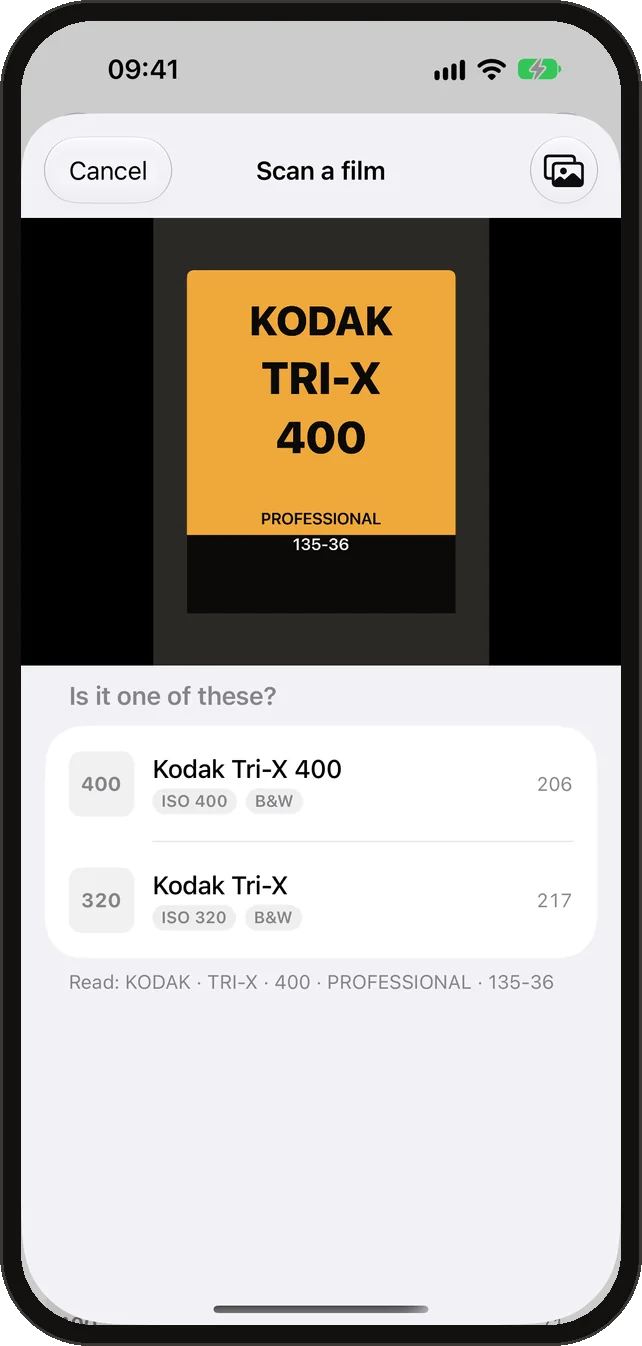
Scan the box. Meter the light.
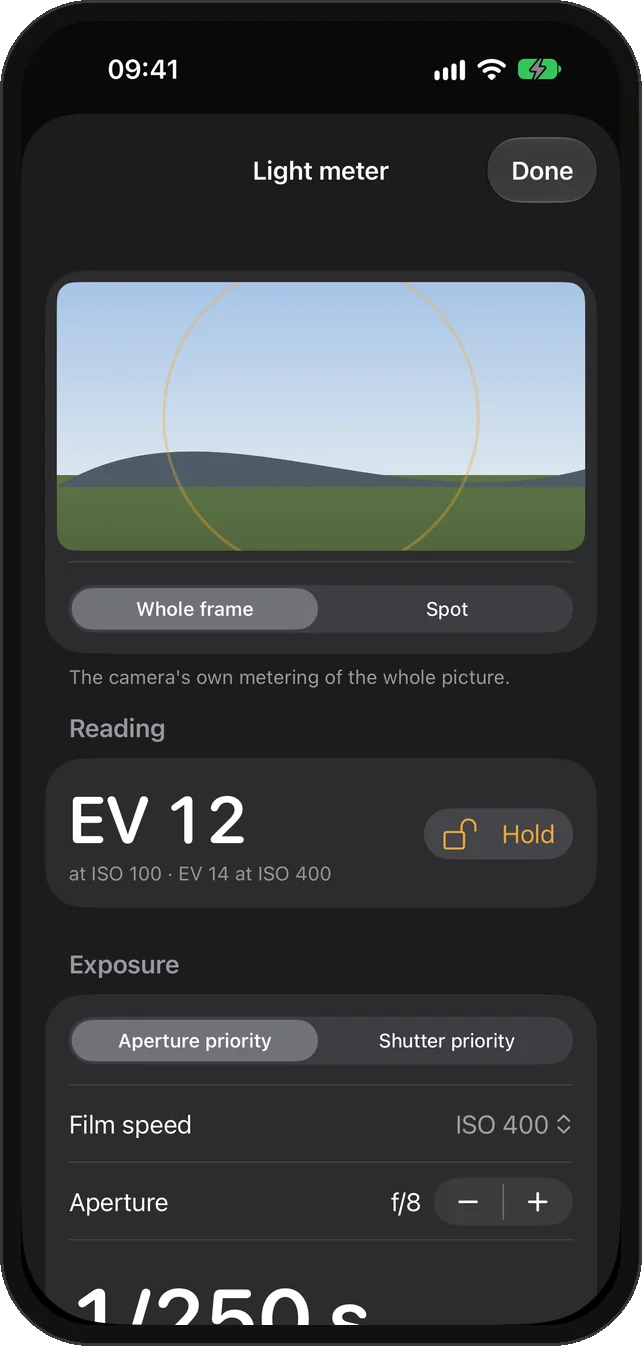
Point the camera at a film can or box and the app finds the film in the catalogue. The light meter turns the camera’s reading into aperture and shutter speed for your film, with the maker’s reciprocity correction for long exposures.
- Spot or whole-frame metering, with a calibration setting — phone meters vary, so check it against one you trust.
Share and report
Send a recipe. Say how it came out.
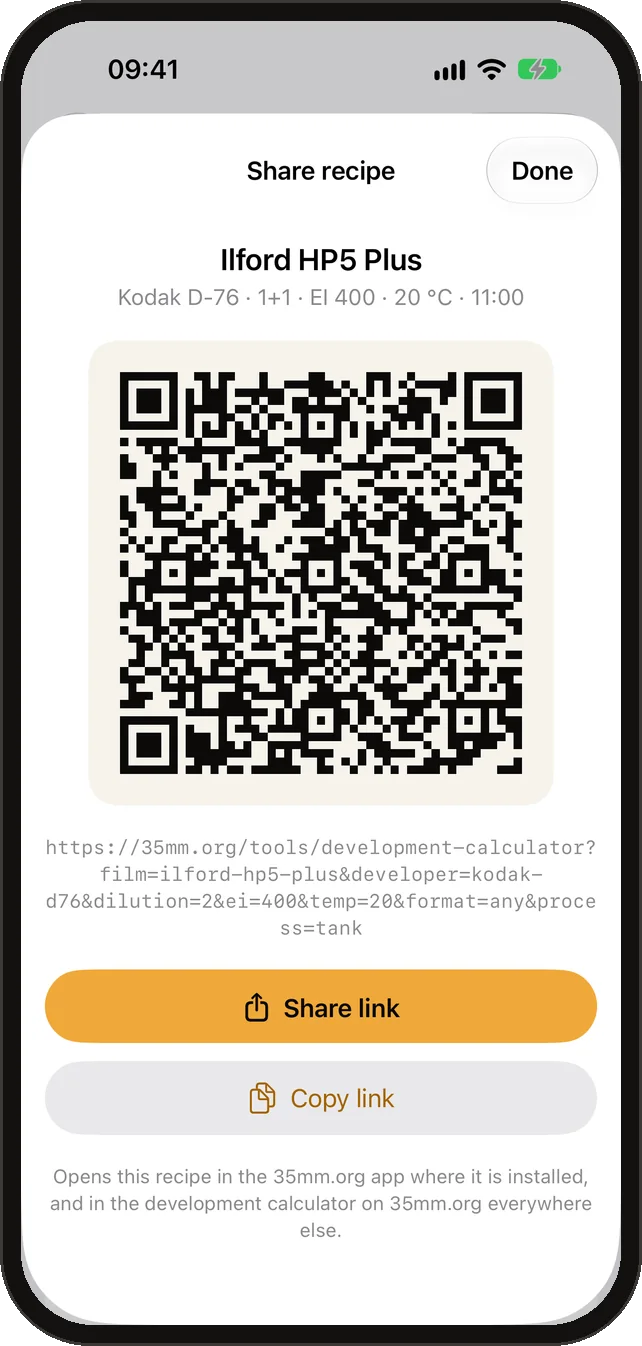
Share a recipe as a link or a QR code: it opens in the app, or on 35mm.org for anyone without it. After a roll, tell us whether it came out good, thin or dense — reports help keep the times right.
- Nothing is sent unless you tap Send.
Widgets, Watch and Siri
The timer, wherever you look.
Start a favourite recipe from a widget, follow the running bath on the Lock Screen and in the Dynamic Island, feel the agitation cues on your wrist, or just ask Siri how long your film takes.
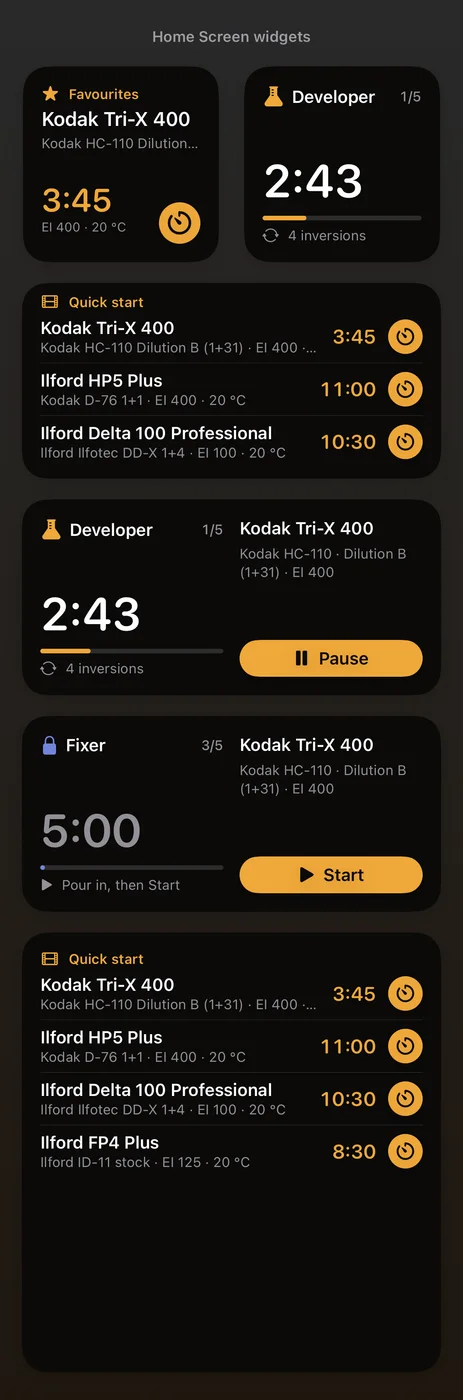
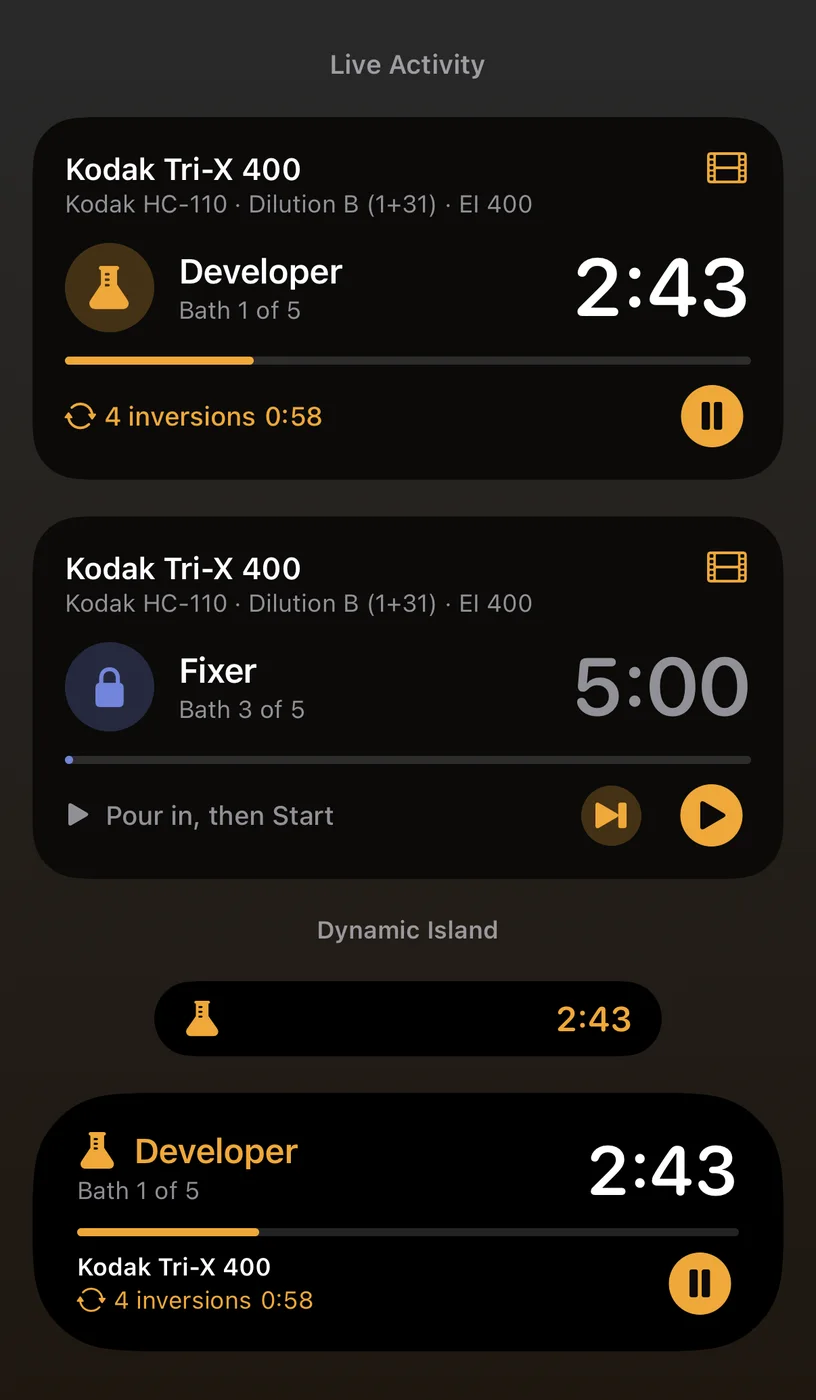
With Siri and Shortcuts: “Develop HP5 Plus with 35mm.org”, “How long is Tri-X in HC-110?”, “Start my last recipe”.
How it works
Only published data
Every time is a maker’s or a published chart’s, with its source. Nothing is estimated, and every fact in the app links to where it was checked.
Works without a signal
The whole catalogue is on the phone and updates itself from 35mm.org when there is a connection. The darkroom rarely has one.
Collects nothing
No account, no tracking, no ads. Your rolls and chemistry stay on your devices, or in your own iCloud if you turn sync on.
- Runs on
- iPhone and iPad, iOS 17 or later
- Apple Watch
- watchOS 10 or later
- Languages
- English; Polish and Ukrainian coming
- Status
- Coming soon to the App Store